Skip to content
Dash Documentation
Search
Ctrl
K
Cancel
Select theme
Dark
Light
Auto
Select language
English
Español
1. Introduction
2. Accessing Dash
3. Home
3.1. Introduction
3.2. Projects
3.3. Datasets
3.4. User Roles & Permissions
4. Data
4.1. Introduction
4.2. Datasets
4.3. Templates & Schemas
4.4. Add Visual
4.5. Layouts
4.6. Pages
4.7. Filters Pane
4.8. Visuals Pane
4.8.1. Introduction
4.8.2. Build Visual
4.9. Data Pane
4.10. FAQ & Workflows
5. Analysis
5.1. Introduction
5.2. Datasets
5.3. Filtering
5.3.1. Introduction
5.3.2. Wells Selection
5.3.3. Well list
5.3.4. Merge Groups
5.4. Decline Curve Analysis
5.4.1. Multi Well
5.4.2. Single Well
5.4.3. Normalizations
5.4.4. Type Well
5.4.5. Average
5.4.6. Consolidate
5.4.7. Independent Phase Forecasting
5.5. Dynamic Data Analysis
5.5.1. Introduction
5.5.2. PVT
5.5.3. Convert To BHP
5.5.4. Rate Normalized Pressure
5.6. Correlations
5.6.1. Vaca Muerta Correlation
5.6.2. Correlations
5.7. Analysis Control
5.7.1. Statistics
5.7.2. Results
5.8. Miscellaneous
5.8.1. Compare
5.8.2. Show/Hide Plot
5.8.3. Layout
5.8.4. Screenshot
5.8.5. Well Data
5.8.6. Time Series Display
5.9. FAQ & Workflows
6. Field Development Plan
6.1. Introduction
6.2. Production Setup
6.2.1. Introduction
6.2.2. Optimizer
6.2.2.1. Introduction
6.2.2.2. Conventional Optimizer
6.2.2.3. Unconventional Optimizer
6.2.2.4. Drilling Order
6.2.3. Base Production
6.2.4. Type Wells
6.3. FDP Analysis Control
6.3.1. Introduction
6.3.2. Wells Setup
6.3.3. Constraints
6.3.4. Results
6.4. Calculation
6.4.1. Introduction
6.5. Miscellaneous
6.5.1. Introduction
6.5.2. Show/Hide Plot
6.5.3. Layouts
6.6. Export Options
6.6.1. Introduction
6.6.2. XLSX File
6.6.3. Screenshot
6.7. Schedule
6.7.1. Introduction
6.7.2. Parent-Child Interference
6.7.3. Frac Hit Configuration
6.7.4. Typical Workflow
6.8. FAQ & Workflows
7. Economics
7.1. Introduction
7.2. Cases Explorer
7.3. Deterministic Economic Evaluation Tool
7.4. Probabilistic Economic Evaluation Tool
7.5. Economics Sensitivity Module
7.6. FAQ & Workflows
8. Annexe
8.1. Annexe 1
8.2. Annexe 2
8.3. Glossary
8.4. Performance Best Practices
9. Workflows
9.1. Data Workflow
9.2. Analysis Workflow
9.3. FDP Workflow
9.4. Economics Workflow
Select theme
Dark
Light
Auto
Select language
English
Español
Add Visuals
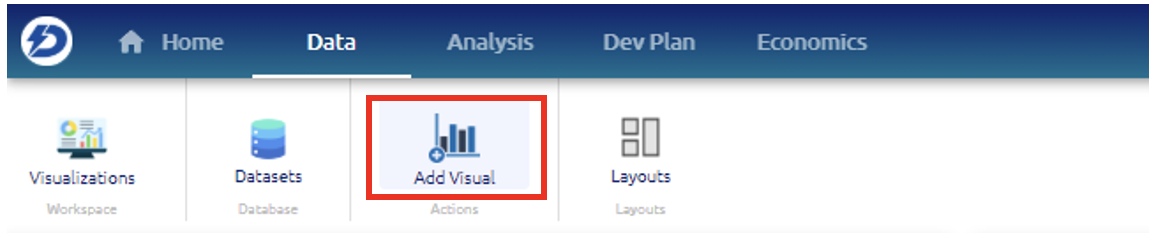
This shortcut allows the user to create a new visualization and add it to the page his working on.