
FDP Wells Setup
This view will enable the user to designate each well to be drilled by specifying the following parameters:
• Type well: dropdown list with the available well types, by default the first well type in the list is assigned
• Production multiplier: multiplier for the production of the chosen type well. Auto-normalize feature based on lateral length and number of fracs for type wells in dev plan.
• Drilling days: days to drill for each well
• Completion days: days to completion for each well
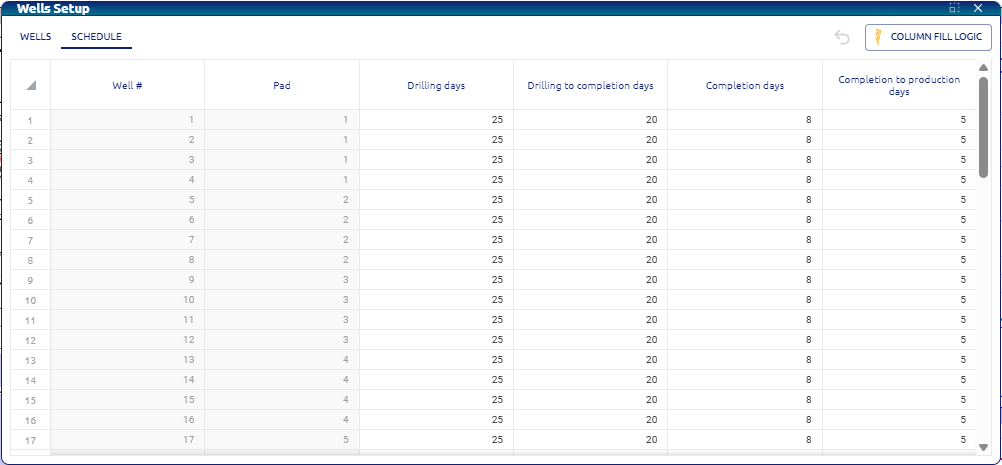 Well setup configuration
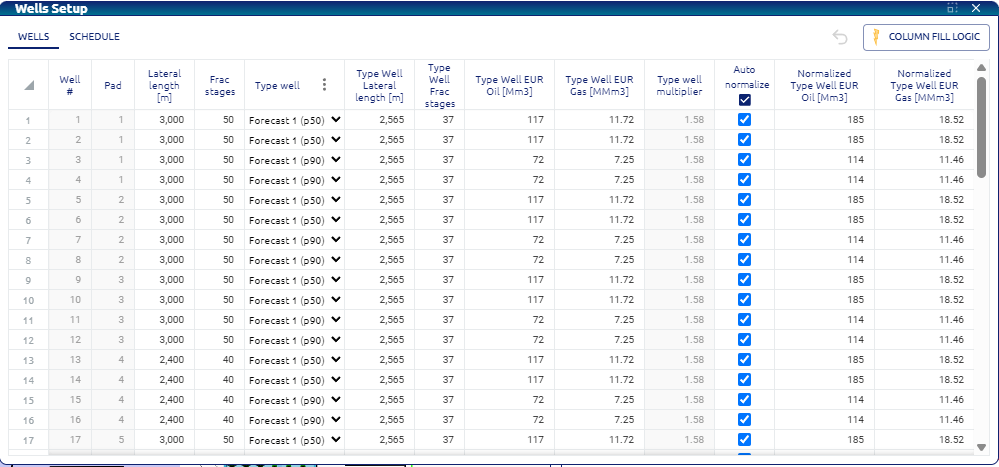 Well setup configuration
The number of wells and pads shown in the table correspond to those determined in the creation of the dev plan.
• Column Fill Logic: as it is common to manage a large number of wells, the ‘Column fill logic’ button makes the process of configuring the parameters mentioned easier. This button allows users to apply a specified logic to set these parameters across multiple wells.
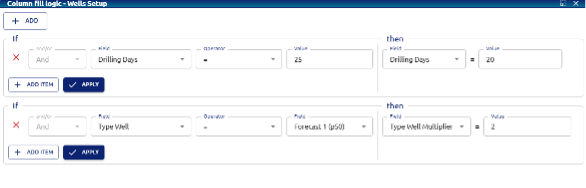 Well setup – Column Fill Logic: rules for: modifying drilling days, and for applying a production multiplier for a specific well type
After the user applies the changes in Wells profiles window, the app should fill the D&C learning curve plots:
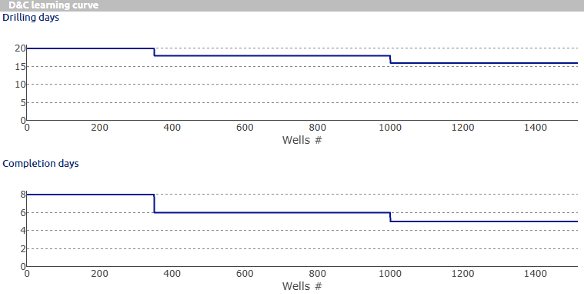 Well setup – Drilling and Completion learning curve