Probabilistic Economic Evaluation Feature Description
This feature allows the user to run probabilistic economic evaluations over a case. Each case can contain one or more wells + forecasts, type wells, consolidations or development plans. This enables the user to create any number of iterations for the economic evaluation with different distributions for the input parameters. The feature is located in the ‘Economic’ tab, in the ‘Economic Evaluation’ navbar section.

User workflow
User must select a case in the Case Explorer. Then user must click on the Probabilistic button.
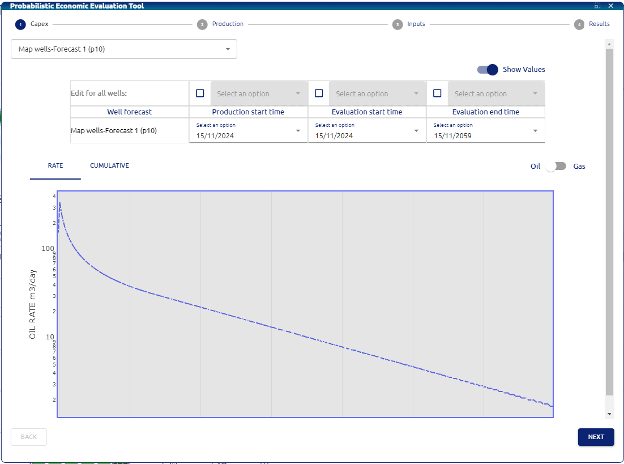
The first menu will allow the user to select and modify three main parameters:
• Production start time: date when the production is going to be taken into consideration for the evaluation.
• Evaluation start time: date when the evaluation is going to be calculated from.
• Evaluation end time: date when the evaluation should stop.
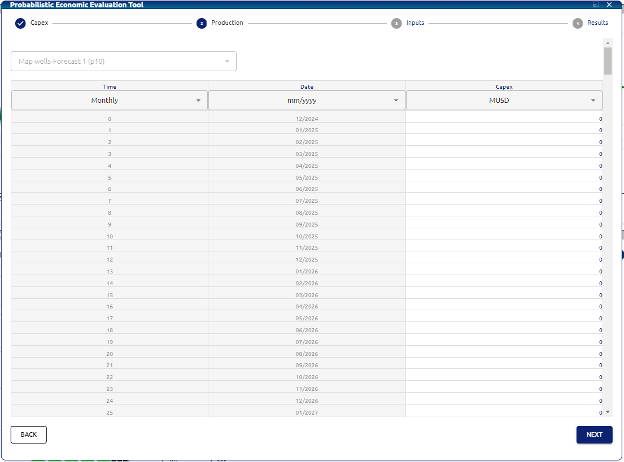
Next menu will be the Capex over time:
Next menu will be the Inputs for the evaluation such us:
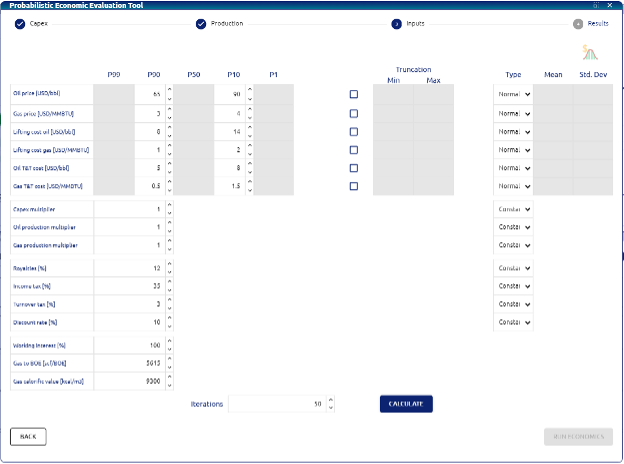
• Oil price: oil price for each period [USD/bbl].
• Gas price: gas price for each period [USD/MMBTU].
• Lifting cost oil: lifting cost assigned to the oil production [USD/bbl].
• Lifting cost gas: lifting cost assigned to the gas production [USD/MMBTU].
• Oil T&T cost: treatment and transportation costs assigned to the oil production [USD/bbl].
• Gas T&T cost: treatment and transportation costs assigned to the gas production [USD/MMBTU].
• Capex multiplier: if user wants to add a factor to the capex input in the previous step.
• Oil production multiplier: if user wants to add a factor to the oil production.
• Gas production multiplier: if user wants to add a factor to the gas production.
• Royalties: Royalties for the case scenario
• Income tax: Income tax applied to the scenario.
• Turnover tax: turnover tax applied to the scenario.
• Discount rate: used for the calculation of the discounted cashflow and NPV.
• Working interest: Working interest of the scenario.
• Gas to BOE: Conversion factor used to calculate BOEs from gas volume.
• Gas calorific value: Rate of conversion for the normalization of gas calorific value.
User can select for Oil price, Gas Price, Lifting cost oil, Lifting cost gas, Oil T&T cost, Gas T&T cost the following configurations:
P90 & P10 values for distribution Truncation: minimum and maximum limits to truncate the distribution of the parameters. Type of distribution: User can select between Normal and Lognormal distribution or select a constant value.
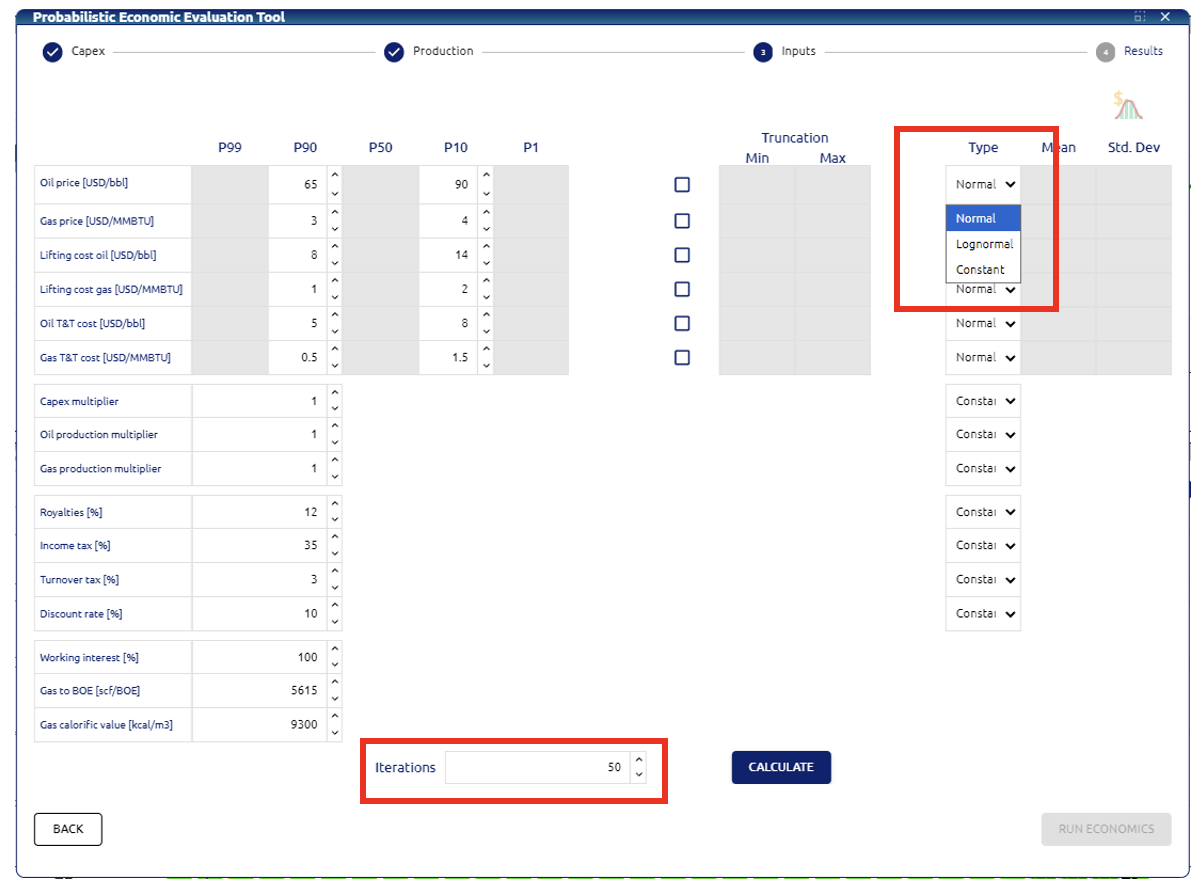
Lastly, user can select the number of iterations to run for the probabilistic case. Then user must click on “Calculate”.
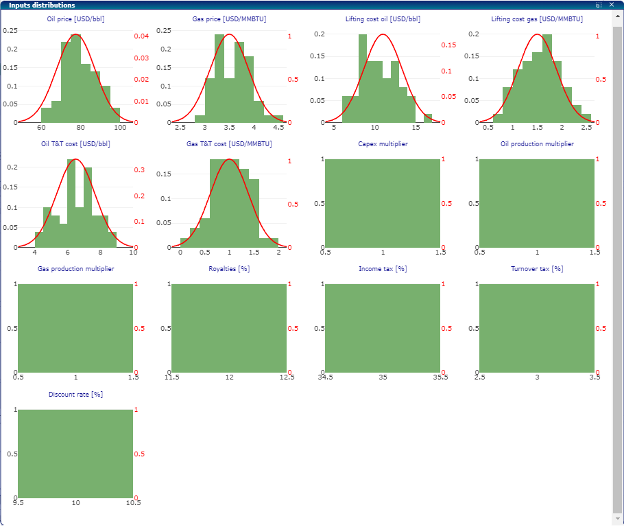
The following window will pop up. This window shows the histograms for each of the parameters configured in the previous window.
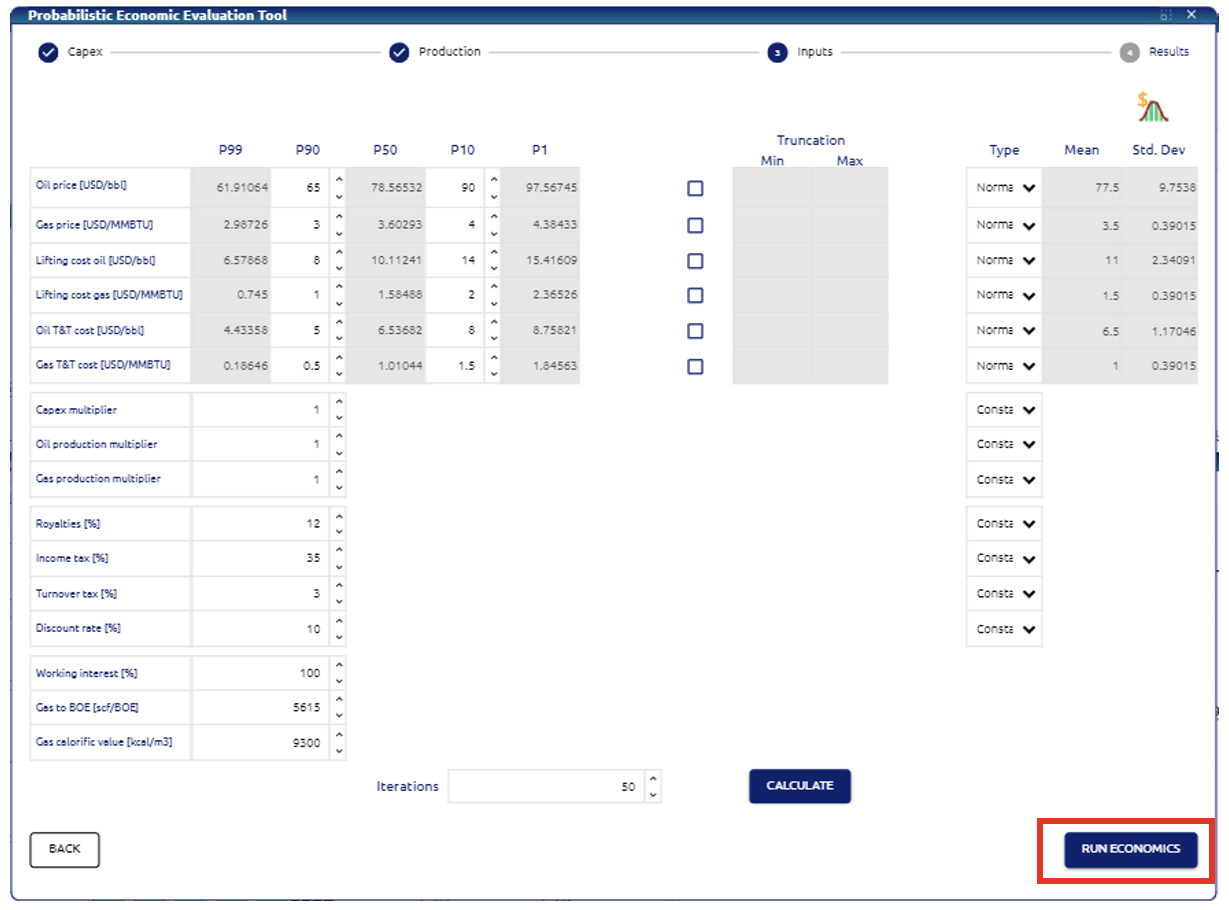
Last step for the calculation is to click on the “Run Economics” button on the bottom right of the window:
The results window will show up the following:
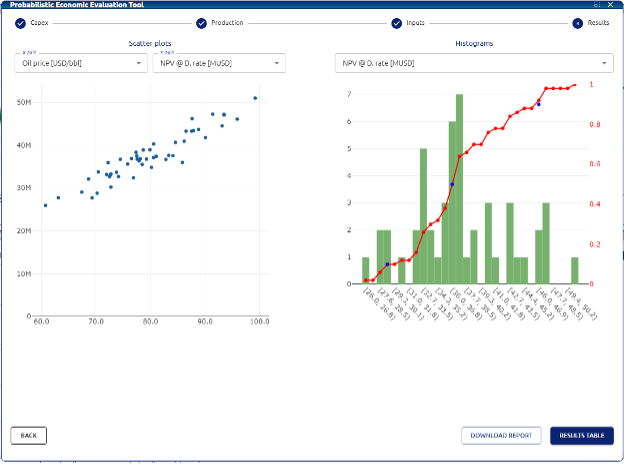
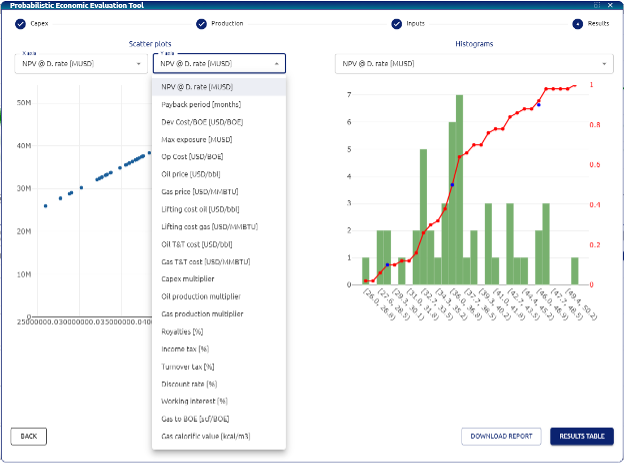
On the left user can select the variables on the scatter plot the variable on x and y axis:
• NPV @Discount rate
• NPV@D. rate
• Dev cost/BOE
• Max exposure
• Opex cost/BOE
• Oil Price
• Gas price
• Lifting cost Oil
• Lifting cost gas
• Oil T&T cost
• Gas T&T cost
• Capex multiplier
• Oil production multiplier
• Gas production multiplier
• Royalties
• Income tax
• Turnover tax
• Discount rate
• Working interest
• Gas to BOE
• Gas calorific value
On the right user can select between different histograms available:
• NPV @Discount rate
• Payback period
• Development Cost/BOE
• Max Exposure
• Operation Cost
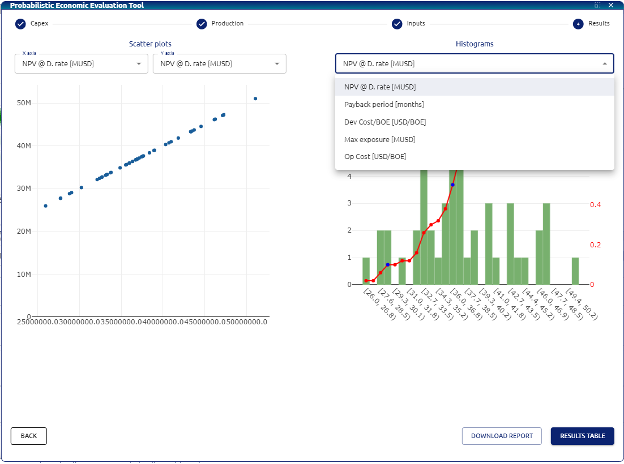
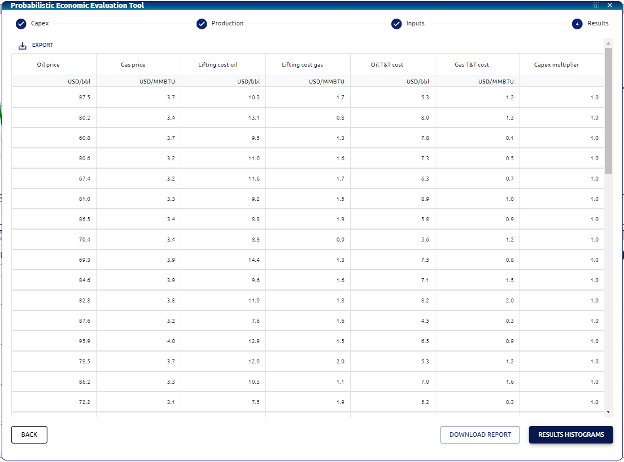
User can select on the bottom right of the window to download an excel report of the probabilistic case created and to see the results table for each iteration: