
PVT Explorer
By clicking the ‘PVT’ button, the app will display the list of available PVT for the user. It will enable him to create, load, edit and delete PVTs; and will allow him to assign a specific PVT to a well or to a well group.
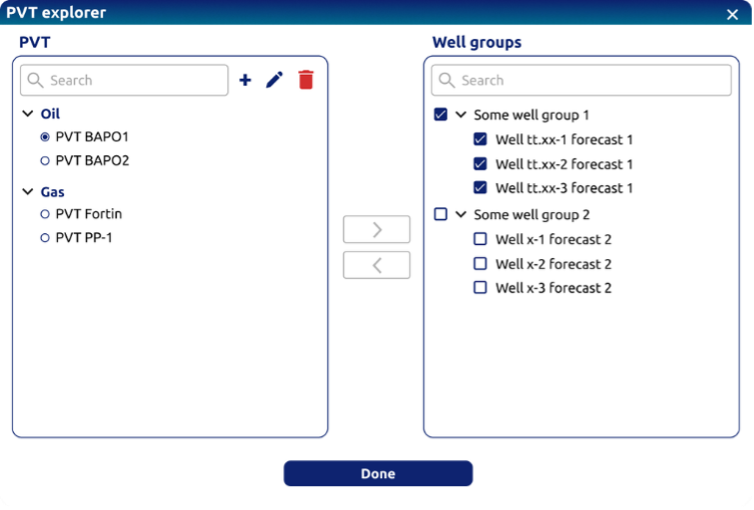 PVT Explorer - PVT creating, loading and saving
Create a new PVT By clicking the ‘+’ button in the PVT Explorer window, the app will display a floating window. This view will be divided in ‘steps’ for the user to define the model, navigating through ‘Next’ and ‘Back’ buttons.
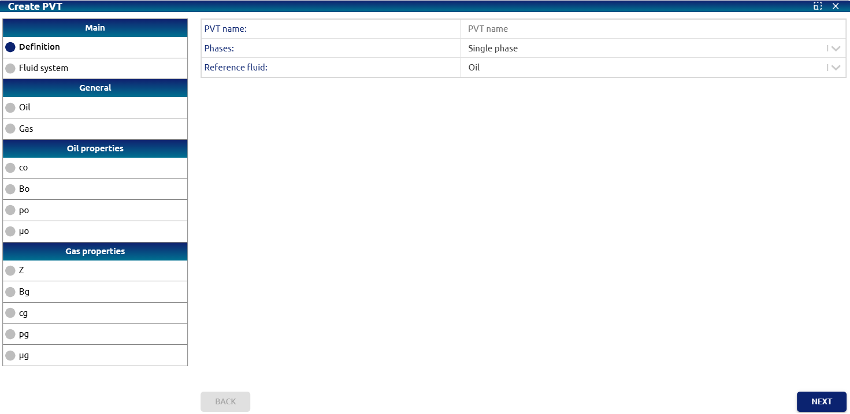 Create PVT - Definition
Step 1: Definition
• PVT Name: text input for giving a name to the PVT model
• Phases: dropdown defining the number of phases of the PVT model. Options:
     o Single phase (default option)
     o Multiphase (this option is disabled at this moment)
• Reference fluid: indicates the main fluid of the PVT model. Options:
     o Oil
     o Gas
     o Water (this option is disabled at this moment)
Step 2: Fluid system (Oil)
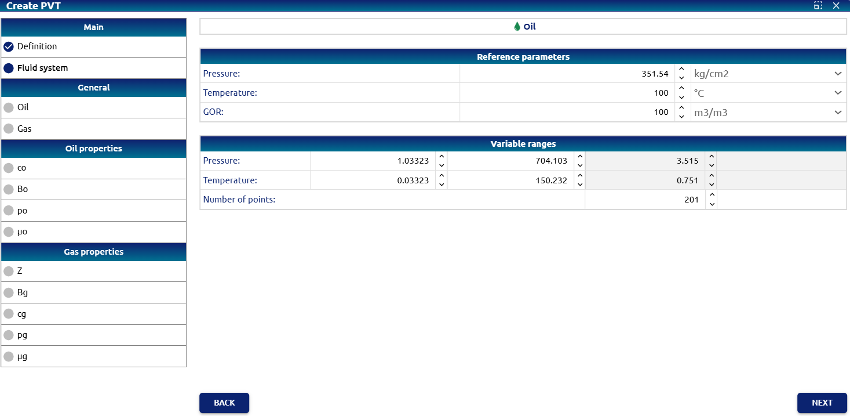 Create PVT – Fluid system (Oil)
Reference parameters:
• Pressure: reference pressure. Default value: 351.535 kg/cm²
• Temperature: reference temperature. Default value: 100 °C
• GOR: reference Gas Oil Ratio. Default value: 100 m3/m3
Variable ranges:
• Pressure: Minimum default value: 1.03323 kg/cm², Maximum default value: 704.103 kg/cm², Increment calculated as (pressure_max - pressure_min) / (num_of_points - 1)
• Temperature: Minimum: default value: 0.03323 °C, Maximum: Default value: 150.232 °C, Increment calculated as (temperature_max - temperature _min) / (num_of_points - 1)
• Number of points: Default value: 201
Step 3: Properties - General (Oil)
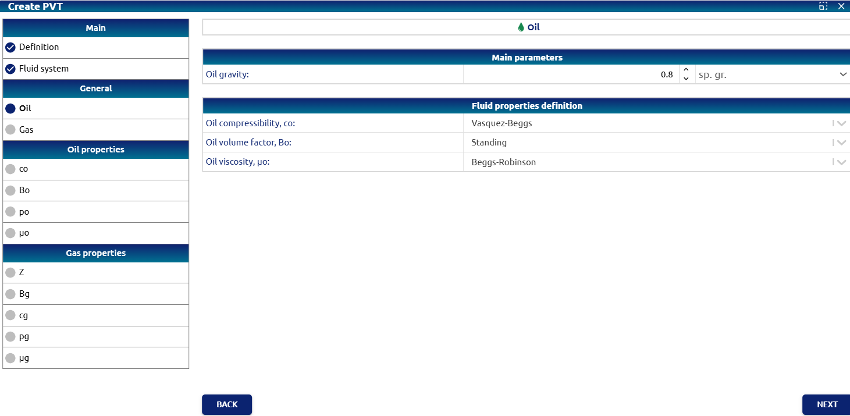 Create PVT – Properties - General (Oil)
• Oil gravity: Default value: 0.8 sp. gr. (specific gravity). Units available:
     o sp. gr.
     o °API
• Oil compressibility (Co): Default value: Vasquez-Beggs
• Oil volume factor (Bo): Default value: Standing
• Oil viscosity (μo): Default value: Beggs-Robinson
Step 4: Properties - General (Gas)
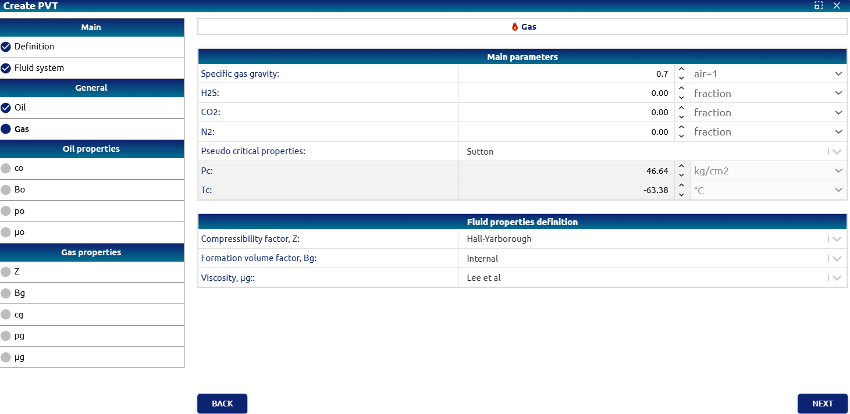 Create PVT – Properties - General (Gas)
• Specific gas gravity: Default value: 0.7
• H2S, CO2, and N2: Default value: 0.00 in Fraction. Units available:
     o Fraction
     o %
• Pseudo critical properties: Default value: Carr et al.
• Pc: pseudo critical pressure. This field is not editable, it is calculated by the PVT API.
• Tc: pseudo critical temperature. This field is not editable, it is calculated by the PVT API.
• Compressibility factor (Z): Default value: Hall-Yarborough
• Formation volume factor (Bg): Default value: Internal
• Viscosity (μg): Default value: Lee et al.
Step 5: View results
The following tabs allow you to view the results for the properties calculated for oil and gas according to the entered parameters.
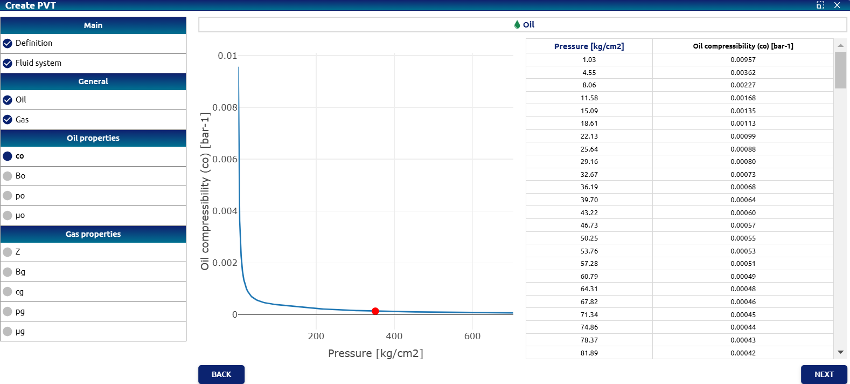 Create PVT – Oil compressibility (Co)
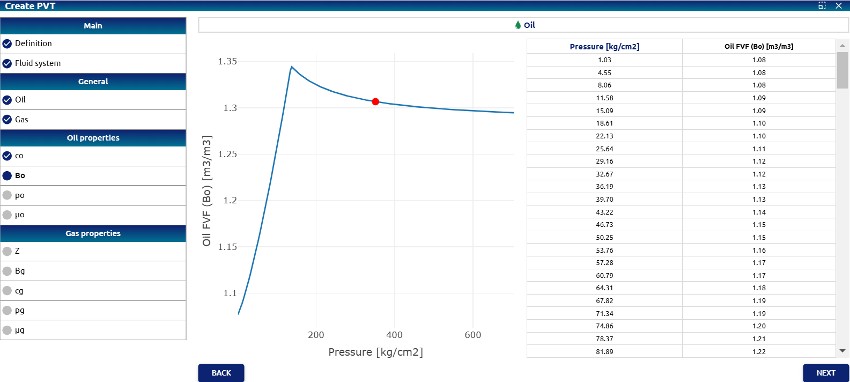 Create PVT – Oil volume factor (Bo)
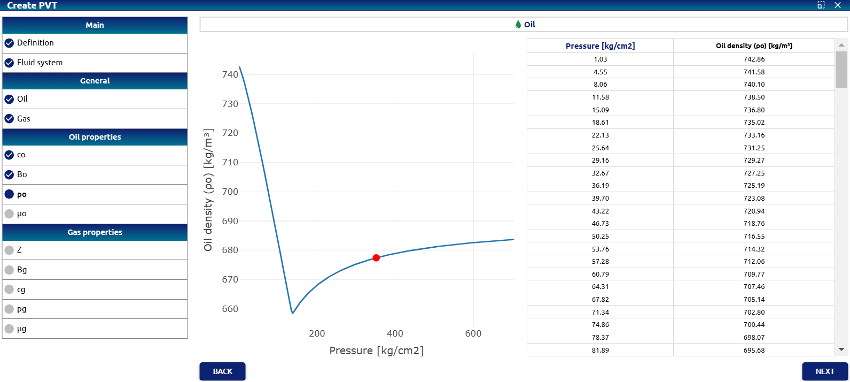 Create PVT – Oil density (ρo)
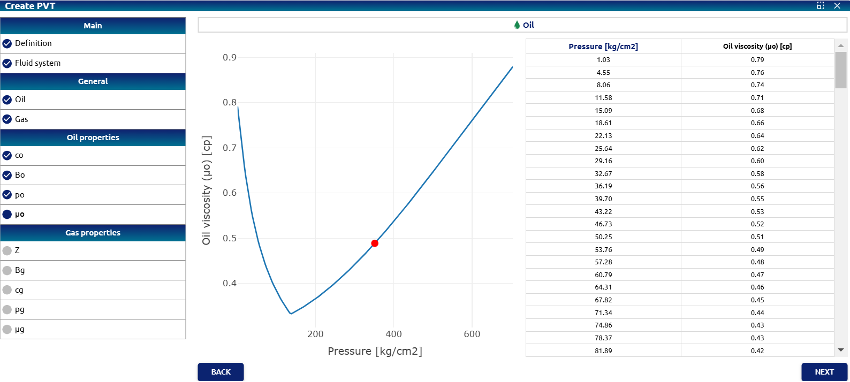 Create PVT – Oil Viscosity (μo)
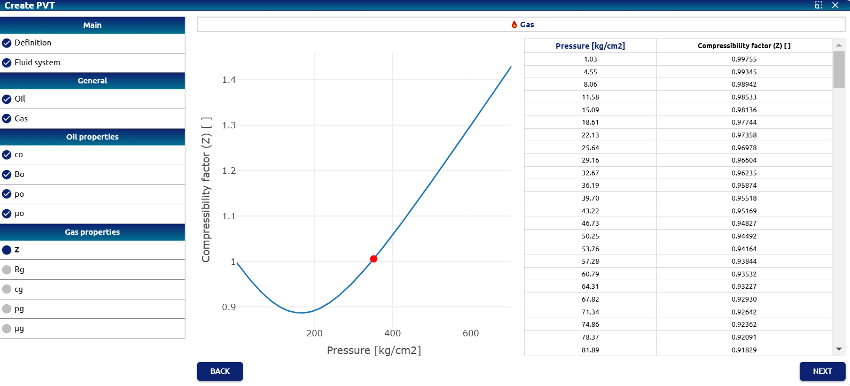 Create PVT – Gas Z factor
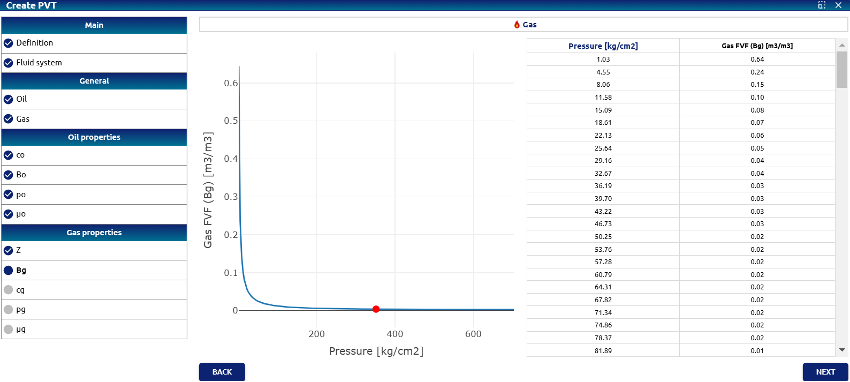 Create PVT – Gas Formation volume factor (Bg)
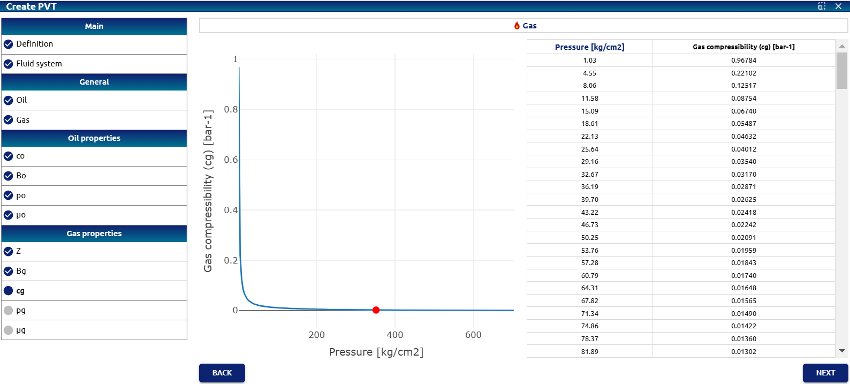 Create PVT – Gas Compressibility (Cg)
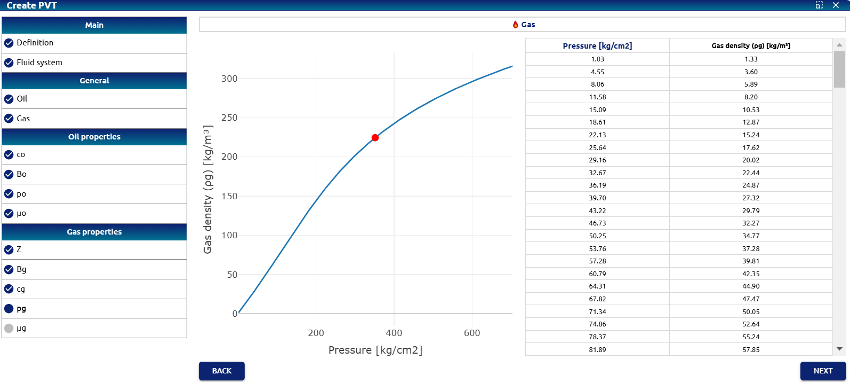 Create PVT – Gas Density (ρg)
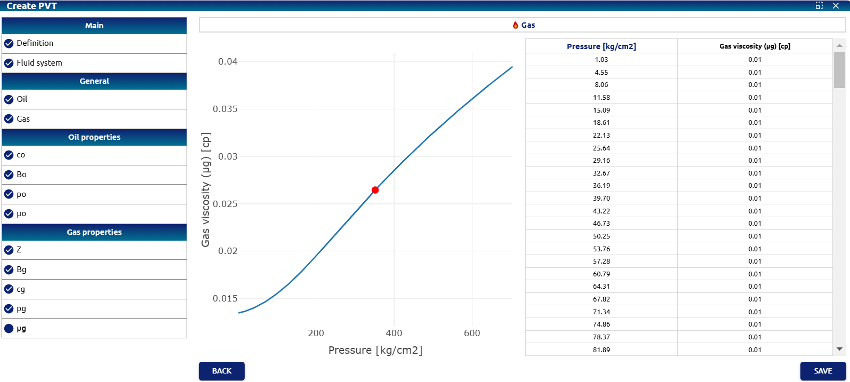 Create PVT – Gas Viscosity (μg)
When this last property is calculated, the Save button will be enabled, and in this instance the calculated PVT can be saved.