
Wells Filtering
To use the tools that the application offers, it is necessary to select wells to include in the analyses. This is done using the Wells selection which retrieves historical data for the selected wells and is combined with the use of the Wells List to show/hide wells.
 Filtering elements in the main toolbar
Wells grouping
Once the wells have been selected, they must be included in a ‘well group’, an attribute by which they can be identified in the rest of the application. The ‘group’ of wells is a property defined by the user, in the case of not having created any group yet, or if you want to include the current selection of wells in a new group, it must be created at the time of assigning the selection.
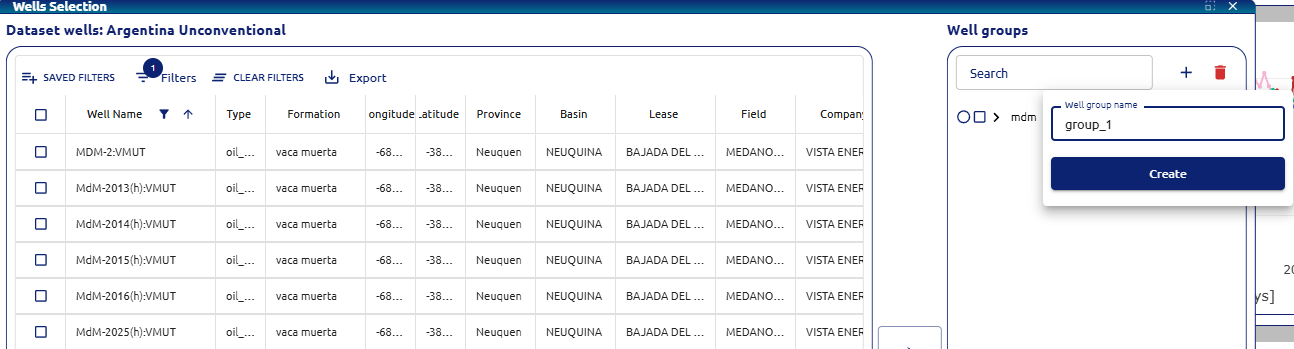 Creation of well groups
Once the selected wells are assigned to the created group, it can be used in the application.
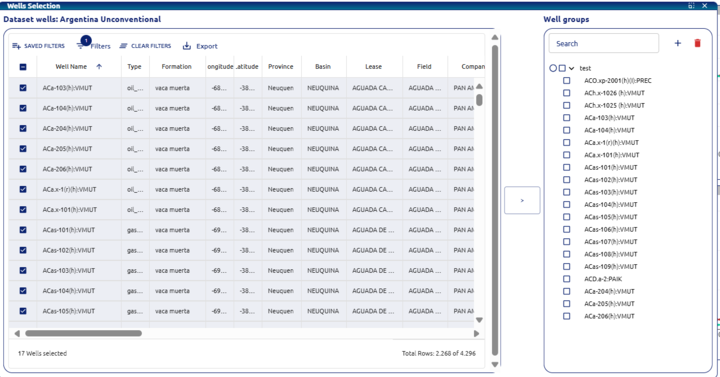 Wells assigned to group